
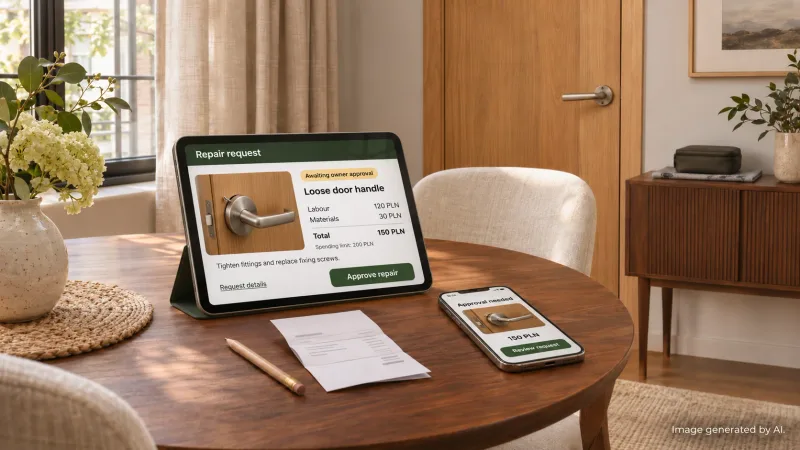
If you own a short-term rental in Poland but you live abroad (or cannot supervise repairs in person), minor faults can become a recurring source of stress. Not because repairs are always complex, but because approvals, scope changes, and contractor communication easily get messy at a distance.
This article gives you a clear remote authorization SOP for small repairs - focused on the decisions you must make, the documentation you should collect, and how to keep control when tradesmen are on the ground.
It also clarifies the difference between reporting a fault, authorising expenditure, and confirming completion - so you do not lose time (or budget) to unclear responsibility.
The reality of remote maintenance for Polish rentals
When you are not on-site, the common problem is rarely the technical fault itself. It is the gap between what you need to approve and what the contractor needs to act quickly.
Typical friction points for foreign owners managing Polish rentals:
- Limited context in the first message (a symptom without a clear location or cause).
- Scope drift (a “small fix” turns into additional work because nobody paused to re-quote).
- Unclear evidence (you approve without photos, then it is hard to confirm what was actually done).
- Delayed confirmations (repairs happen, but completion records do not reach you in a form you can use).
So instead of trying to solve every case from scratch, you need a defined remote process that makes “minor” repairs predictable.
Insight: Keep your approvals decision-based, not message-based. A structured request (issue, urgency, quote, recommendation) is what you review remotely - not a stream of ad hoc chats.
The 90-day remote maintenance SOP
Build the process once, then run it consistently. A practical approach is a 90-day SOP mindset - set boundaries, prepare local execution, and refine through monthly review.
Set boundaries: minor repairs vs. major emergencies
Define categories you will approve remotely without renegotiation. Make them simple enough to apply while you are reading updates quickly.
Typical examples suitable for remote “minor repair” spending limits:
- Replacing light bulbs and basic lighting fixes.
- Furniture adjustments (e.g., loose handles, minor component repair within a defined scope).
- Minor plumbing when localized and not indicating ongoing risk of water spread.
- Basic internet troubleshooting (basic checks and step-by-step diagnostics before escalation).
Examples to treat as major emergencies (do not wait for routine approvals):
- Any situation involving active water damage or a risk of spreading.
- Safety concerns where continued operation is not acceptable.
Insight: “Minor” should describe both risk and scope. A repair can be small in cost but still risky if it affects water or safety.
Local execution network: who acts and who reports
Remote authorization only works if you know who will:
- Receive the tenant/guest report locally.
- Confirm the issue on-site (photos and a clear location).
- Execute the approved minor fix within the agreed category.
- Report back with completion evidence (what was done and final cost).
Monthly checkpoints: correct your limits and definitions
Do not let your SOP become theoretical. At the end of each month:
- Review how many minor repairs were authorised in your spending tiers.
- Check whether your spending limits were too low (too many exceptions) or too high (too many items stayed within limit when escalation should have happened).
- Adjust your definitions if a recurring “edge case” appears.
Insight: Your monthly review is not about squeezing contractors. It is about tuning the rules so your approvals match real conditions in Polish properties.
The spending framework for small repairs
The spending framework solves one problem: instead of re-deciding every time something small breaks, you pre-approve a defined range for minor repairs - with a clear rule for what happens when the quote exceeds the limit.
Step 1 - Choose owner-defined limits for minor repairs
Set a pre-approved limit range you feel comfortable authorising remotely for clearly minor work categories. Use amounts in the currency you track - typically PLN for Polish vendors. If you also think in EUR, you can record both, but do not rely on currency conversion alone to control scope.
Step 2 - Separate “minor” vs “urgent minor”
Not all minor problems have the same time pressure. Use two tiers:
- Tier A: Minor but non-urgent (can wait until normal turnover or a planned maintenance window).
- Tier B: Minor and urgent (affects guest comfort now or blocks check-in readiness).
Step 3 - Define the out-of-limit rule (exceptions)
When an estimate exceeds your pre-approved amount, the vendor must pause and submit an updated approval request before continuing beyond the pre-authorised scope.
This prevents small issues from silently turning into larger expenditures.
Step 4 - Require lightweight but consistent evidence
For every approval decision, require:
- Issue description and exact location.
- Photos before/after when feasible.
- Action taken or proposed action aligned to the category.
- Final cost and confirmation that it matches the approved scope (or a new approval if it changed).
Important: Do not treat your SOP as a legal instrument or assume it is legally binding. Use it as a practical governance tool for decision-making and recordkeeping.
If your contractor requests work outside the defined minor categories, treat it as an exception and follow the same structured approval request process before you authorise spending.
Approval matrix (blank amounts)
Use this matrix as the decision tool. Fill in your blank amounts. The goal is consistency, not speed for speed’s sake.
This is intentionally framework-only. It does not imply any guaranteed spending outcomes and it does not confirm that any particular amount is appropriate for every apartment situation.
| Work category (pre-authorised) | Tier A - Minor & non-urgent | Tier B - Minor & urgent | Out-of-limit rule |
|---|---|---|---|
| Replacing light bulbs and basic lighting fixes | PLN: ____ | PLN: ____ | Pause and request updated approval before proceeding beyond the approved scope. |
| Furniture adjustments (e.g., loose handle/component repair within defined scope) | PLN: ____ | PLN: ____ | Pause and request updated approval with new scope + quote. |
| Minor plumbing (localized, no active water spread risk) | PLN: ____ | PLN: ____ | Pause if scope expands or if signs of water spread/safety risk appear; submit emergency clarification if needed. |
| Basic internet troubleshooting (step-by-step diagnostics before escalation) | PLN: ____ | PLN: ____ | Pause if deeper diagnostics/parts are needed; request updated approval with cause and scope. |
Insight: If you routinely hit your out-of-limit threshold, your definition of “minor” is likely too narrow or your local execution setup is missing early on-site diagnosis.
Maintenance approval request template
Centralised decisions work best when every contractor request follows the same structure. Below is a template you can request (in English or Polish) and then review remotely.
1) Issue (what is wrong + where)
- What: exact symptom (not only the guess).
- Where: room + location (e.g., bedroom - near the window - left wall).
- Trigger: tenant/guest report, prep inspection, check-in observation, or wear and tear.
2) Urgency (how it affects the stay)
- Non-urgent (Tier A): can wait until after the guest leaves or a planned turnover.
- Urgent (Tier B): affects guest comfort now or blocks check-in readiness.
3) Cost (estimate + what it includes)
- Estimated total: in PLN.
- Scope: parts and labor level, and what the action will address (within the minor category).
- Assumptions: anything that might change the scope (if known).
4) Recommended action (aligned to your categories)
Ask for a clear “next step” recommendation that matches one of your pre-authorised minor categories. Examples of appropriate wording:
- Replace the bulb and test operation.
- Tighten/repair the loose fitting and verify stability.
- Perform basic diagnostic steps and confirm connectivity after changes.
5) Evidence expectations (before/after)
- Request at least one photo before the action and one after (when feasible).
- Ask for final confirmation that the approved scope was completed.
Note: If the contractor cannot provide photos, ask for a clear written description that still confirms location, action, and outcome.
Reporting vs authorising vs confirming completion
Remote maintenance decisions become simpler when everyone uses the same three-step language. Keep these distinctions explicit in your workflow.
| Step | What it means | What you should request/record |
|---|---|---|
| Report a fault | A message that something is wrong and needs attention. | Symptom + location + (ideally) photos. No cost decisions yet. |
| Authorise expenditure | Your decision to approve spending within your minor categories/limits. | Approved tier, approved scope, and estimated/approved PLN amount. Record the approval. |
| Confirm completion | Verification that the work is done and the outcome matches the scope. | Before/after (if available), final cost, and confirmation it resolved the reported fault. Update records. |
Practical insight: If you only receive a final invoice without a completion record, you cannot reliably confirm whether the work matched the approved scope. Require completion evidence as part of your approval workflow.
Urgent situations and what to do during exceptions
Urgency does not mean you skip governance. It means you apply your agreed urgent procedure while still controlling scope.
During urgent situations (Tier B or emergencies), do this:
- Confirm whether it is an emergency (active water damage, safety risk). If yes, prioritise appropriate professional intervention.
- If it is urgent but not an emergency, use your urgent minor category tier and require the same structured request - just faster.
- If the quote exceeds your matrix, pause additional scope and request updated authorization before continuing beyond pre-authorised work.
Professional support matters: For emergencies, use appropriate specialists (for example, plumbing or electrical professionals as required). Your SOP should enable decision-making, not substitute for professional judgement on-site.
Important: Do not assume that any contractor’s invoice details automatically match your approvals. Record decisions and completion separately to avoid disputes later.
Practical insight: Keep your exception rule consistent: out-of-limit equals pause + updated approval request. If you allow informal “just continue” exceptions, you will gradually lose control of spending.
How Sparkling Apartments supports the workflow with Sparkling Maintenance
Remote ownership works best when you have clear roles for local execution and consistent reporting. Sparkling Apartments supports that operational structure through Sparkling Maintenance - a technical service focused on apartment readiness between stays.
In practice, Sparkling Maintenance is designed around a simple operational cycle: they notice issues during preparation and turnaround checks, report them through the cooperation protocol, and repair the minor faults that match the agreed scope. This aligns directly with the decisions you make remotely: what counts as minor, what is urgent, what requires evidence, and what should be paused for updated authorization.
Because the scope of service is set individually, you can agree what categories of small repairs your local partner should handle under your minor limits, and what triggers an out-of-limit request.
If you are planning to organise remote property maintenance Poland-style, Sparkling Apartments can also coordinate practical operational elements so your approval workflow stays coherent - instead of multiple messages, unclear scopes, and missing completion records.
Next step: Share your preferred minor categories and spending limits, and discuss how approvals and evidence should be handled for your specific Polish apartment setup.